Desktop pets for Mac & Windows
What they are, why people love them, and how to get a free one · Updated 29 October 2026
What is a desktop pet?
A desktop pet is a small animated animal that lives on your computer screen. It walks along the bottom of your screen, sits on top of your windows, takes naps and wanders around while you work. You don't have to do anything: it is simply there, keeping you company.
A short history
Desktop pets have been around for decades. Classic examples include Neko, a cat that chased your mouse cursor; eSheep, a sheep that walked across your windows; Shimeji, little characters that climb and fall around the screen; and Desktop Goose, a mischievous goose. Most of them are pixel art or cartoons.
Why people love having a pet on their screen
- A small smile during long workdays. A cat strolling past your spreadsheet makes a stressful day feel lighter.
- Company while working from home. It is the closest thing to a pet for people who can't have one: renters, hostel and PG residents, people with allergies, or anyone whose family said “no pets”.
- A fun moment in meetings. When you share your screen, your pet comes along.
Desktop Tails: lifelike desktop pets
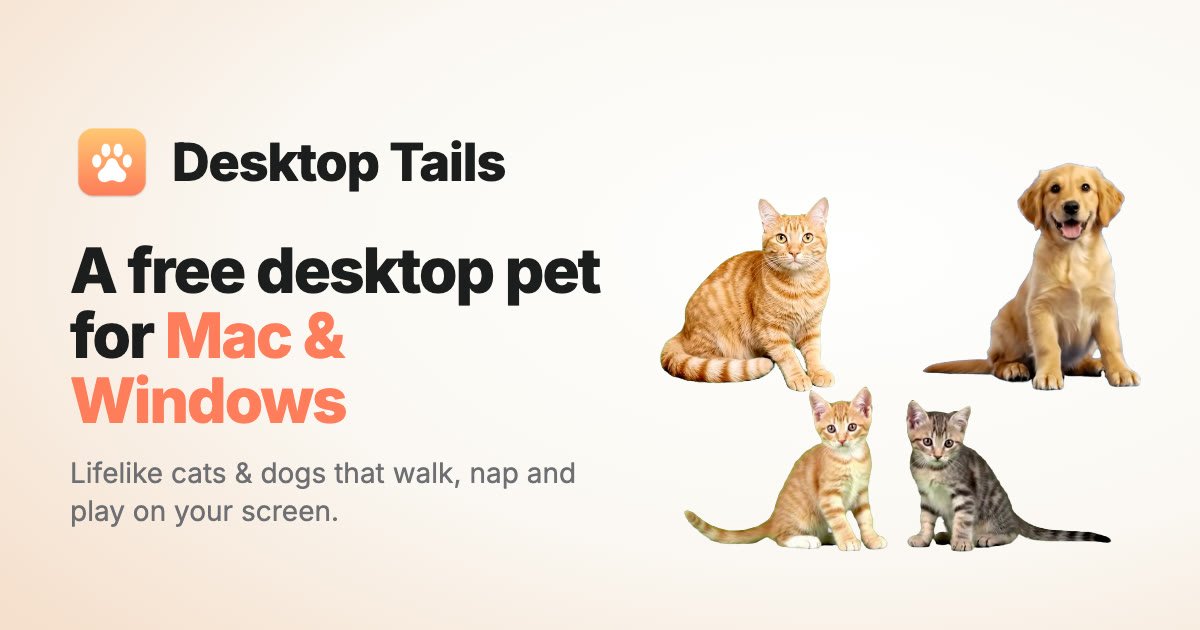
Desktop Tails is a free desktop pet for Mac and Windows. Instead of cartoons, its pets look like real animals:
- Tabby cat: walks, grooms, sits and naps. Free, forever.
- Kittens: two little troublemakers who play-fight and sit side by side.
- Golden puppy: sniffs around, rolls over and smiles at you.
- More on the way: new pets arrive right inside the app, without updates.
Built so it never gets in your way
- Clicks pass through your pet, so you can keep working underneath it.
- One shortcut hides or shows it: ⌃⌥P on Mac, Ctrl+Alt+P on Windows.
- Hides during calls automatically, if you want it to, and pauses on battery.
- Shows up in screen sharing and recordings.
- Choose its size, how many pets appear at once, and whether it roams or stays in a corner.
How to get a free desktop pet
- Download Desktop Tails for your computer.
- Mac: open the download and drag it to Applications. Windows: run the installer.
- Open it, and your cat appears on your desktop.
Download for Mac — FreeDownload for Windows — Free
Mac: macOS 14 or later, Apple silicon & Intel · Windows: Windows 10 or 11, 64-bit. More answers in the FAQ.